How to Build a Production 3-Tier Web App on AWS — Full DevOps Project
Design and deploy a production-grade 3-tier web app on AWS with Terraform, ECS Fargate, RDS Multi-AZ, and a GitHub Actions CI/CD pipeline. The complete build, the reasoning, and the repo you can run yourself.
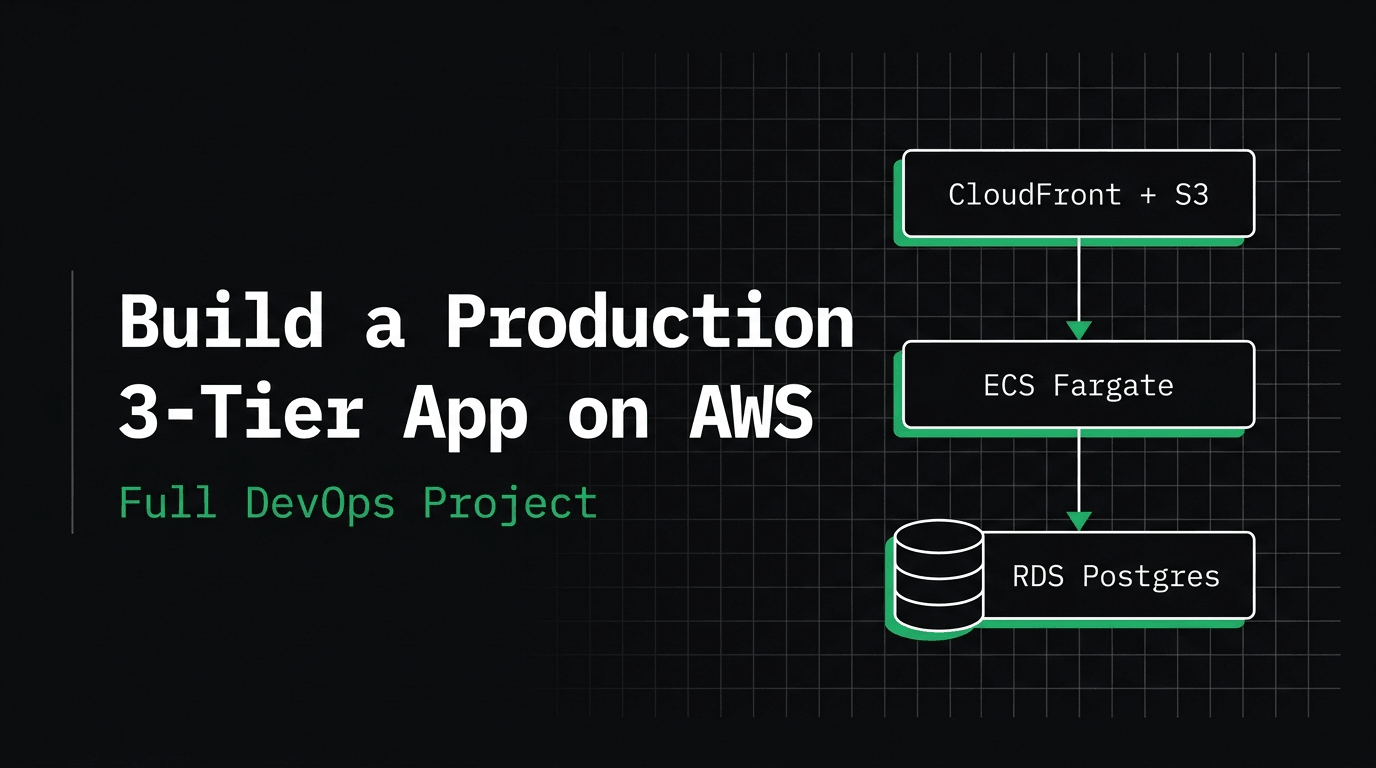
Your code works on your laptop. Then it goes to production — and production is on fire. Real DevOps is everything that stands between those two moments: the architecture, the infrastructure, the pipeline, and the practices that keep a system alive when a machine dies, traffic spikes, or an entire data center goes dark.
In this project — the first in a 10-part production-grade series — we design and deploy a 3-tier web application on AWS the way a senior engineer actually would. Not by clicking around the console, but with a real architecture, Terraform for infrastructure as code, and a GitHub Actions CI/CD pipeline. This is the deep-dive companion to the video: the full repo (github.com/codewithmuh/aws-3tier-devops-project), the reasoning behind every decision, and how to run it yourself.
What we're building
The demo app is TaskFlow, a small SaaS task board — a React frontend, a REST API, and a Postgres database. The app itself is deliberately simple. That's the point: this project is not about the app, it's about everything around it. The same architecture you learn here powers real production systems handling millions of requests.
- →Frontend: React + Vite — a static single-page app served from S3 + CloudFront
- →Backend: FastAPI (Python) — a stateless REST API on ECS Fargate
- →Database: PostgreSQL on RDS, Multi-AZ — the single source of truth
- →Infrastructure: Terraform · Pipeline: GitHub Actions · Cloud: AWS
The 3-tier architecture (design first)
Before any Terraform, we draw the system. A 3-tier architecture separates an application into three independent layers so each can scale and fail on its own.
User
  │
  ▼
Route 53 (DNS) ─▶ CloudFront (CDN)
                     ├─ "/*"      ─▶ S3   (React SPA · static)
                     └─ "/api/*"  ─▶ ALB ─▶ ECS Fargate (FastAPI)  × 2 AZs
                                               │
                                               ▼
RDS PostgreSQL (Multi-AZ)- →Presentation tier — the React app is just static files after a build, so it needs no server. Host it in S3 and serve it globally through CloudFront. Cheap, fast, infinitely scalable.
- →Application tier — the API must be stateless: any instance can serve any request. That lets us run several copies behind an Application Load Balancer on ECS Fargate and lose one without losing data.
- →Data tier — the one stateful layer, so we make it durable and highly available with RDS Postgres in Multi-AZ mode: a synchronous standby in a second Availability Zone that AWS fails over to automatically.
If you understand why each box exists, you can re-derive the whole infrastructure from the diagram. That's exactly what a system-design interview asks you to do — and it's the skill this series is built to teach.
Why ECS Fargate and not Kubernetes?
For a single service, Kubernetes (EKS) is a lot of moving parts to operate and pay for. Fargate gives us containers with no servers to patch and no cluster to babysit — the right altitude for this job. We build the full Kubernetes and EKS version in the next project, so you can compare the two approaches directly.
The network: a VPC across two Availability Zones
Availability comes from the network design. We use two Availability Zones and three layers of subnets, each with a specific job.
- →Public subnets — only the load balancer lives here, facing the internet
- →Private app subnets — the ECS tasks. No public IPs; they reach the internet through a NAT gateway for image pulls
- →Private data subnets — RDS, reachable only from the app security group. The database is never exposed to the internet
The security groups form a chain — ALB to ECS to RDS — where each tier accepts traffic only from the tier in front of it. Least privilege, by design.
Run it locally in one command
The repo ships with a Docker Compose file that mirrors the three tiers locally: frontend (nginx) to backend (FastAPI) to Postgres. Seeing the app run locally first means you know exactly what you're about to deploy.
git clone https://github.com/codewithmuh/aws-3tier-devops-project.git
cd aws-3tier-devops-project
docker compose up --build

# app       -> http://localhost:8080
# API docs  -> http://localhost:8000/docs
# health    -> http://localhost:8000/health
The database auto-seeds with demo tasks on first run, so the board looks alive immediately.
Deploying to AWS with Terraform
With the design settled, the infrastructure is obvious — every box on the diagram becomes a Terraform resource: the VPC and subnets, the ALB and its target group, the ECS cluster and Fargate service, the RDS instance, and the S3 plus CloudFront frontend. Everything is code, reproducible, and version-controlled. The repo is tagged by stage so you can follow the video step by step.
git checkout v2-terraform   # land exactly where the video is
cd infra && terraform init && terraform apply
The CI/CD pipeline
The final piece is automation. On every merge to main, a GitHub Actions pipeline builds the container image, pushes it to Amazon ECR, and updates the ECS service — which performs a rolling deployment so users never see downtime. Ship code, and it's live in minutes without anyone touching a console.
Prove it: the failure demos
A design isn't real until you prove its promises hold. Every claim in the architecture gets tested on camera.
- →Kill an ECS task — the ALB health check fails, traffic reroutes to healthy tasks, and ECS launches a replacement. No user-facing error.
- →Force an RDS failover — the app recovers as connections repoint to the promoted standby (we enable SQLAlchemy pool_pre_ping so stale connections are transparently replaced).
- →Load-test it — CPU climbs, autoscaling adds tasks, latency holds steady.
The health check is the linchpin: GET /health returns 200 only when the database is reachable, so a task that can't serve requests is pulled out of rotation automatically instead of returning errors to users.
Cost and teardown: no surprise bill
This stack uses services outside the AWS Free Tier (ALB, NAT gateway, RDS), roughly 90 dollars a month if left running 24/7. The golden rule of cloud learning: always tear it down when you're done. The repo includes a one-command destroy.
make destroy # removes every billable resourceSpin it up, follow along, prove it works, then destroy it — a few hours of experimenting costs cents.
Put it on your resume
This is a portfolio project you can actually talk about. In an interview, draw the three tiers and answer the questions before they're asked: What happens when a task dies? What if an Availability Zone goes down? How does a code change reach production? Where could it still break? Knowing the failure modes and their fixes is what separates “I followed a tutorial” from “I understand this system.”
What's next
This is project 1 of a 10-project production-grade series. Next up: the same kind of build on Kubernetes with EKS and GitOps, then deploying AI applications, serverless pipelines, observability, DevSecOps, and a multi-region disaster-recovery capstone. Each one starts with the system design, then builds it for real. Clone the repo, watch the full build, and follow along.
$ ./work-with-me.sh
Want this in your job, not just your notes?
I take engineers from wherever they are to hired-in-6-months — real projects, code reviews, and mock interviews. Or if you just need a hand shipping something to production, let's work together.
or subscribe on YouTube — free, forever.
$ subscribe --new-articles
Get new articles in your inbox
One email when a new hands-on guide goes live — Kubernetes, AWS, CI/CD, MLOps. No spam, unsubscribe anytime.