Serving ML Models with FastAPI
Turn a model artifact into a real prediction API — request validation with Pydantic, automatic Swagger docs, real-time vs batch inference, and a Docker-ready project structure. Part 2 of the MLOps series.
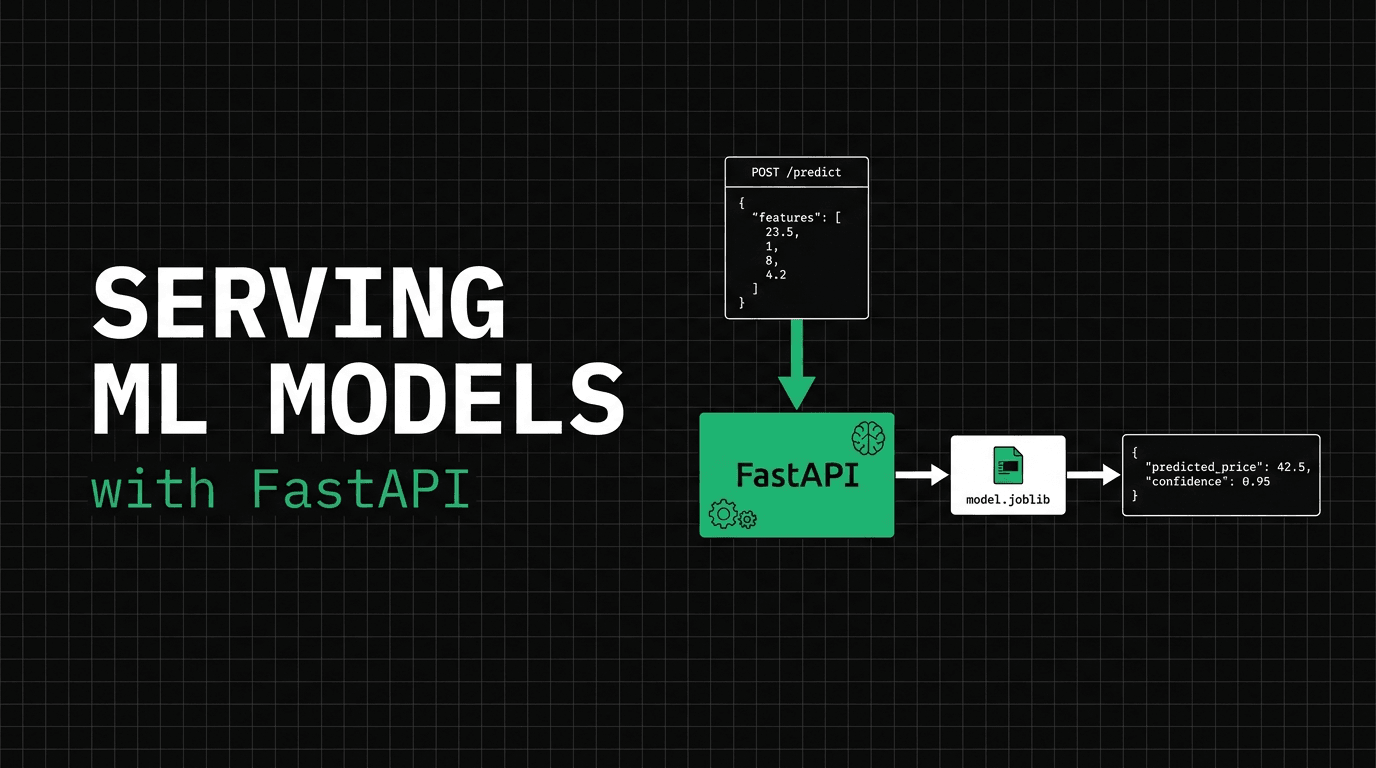
At the end of part one, the only way to get a prediction from our model was to SSH into a machine and run python predict.py by hand. That's not a service. No frontend can call it, no other microservice can depend on it, and the moment you close the terminal, it's gone. A model that only its creator can query might as well not exist.
So in this part, we give it a front door. We take the exact model.joblib from part one and wrap it in a FastAPI service with a real request contract, automatic docs, and a project layout that's ready for Docker in the next part. Here's the good news: once the model is loaded, this is just a web API. If you've ever built a REST service, you already know how to do 90% of this — the ML part is a single .predict() call in the middle.
What "serving" actually means
Serving a model means putting it behind a network boundary, so other systems can ask it questions over HTTP without knowing or caring that there's machine learning inside. To the caller, POST /predict is just an endpoint that takes JSON and returns JSON. Whether the answer came from a RandomForest or a SQL query is an implementation detail, and keeping it that simple is the whole goal.
We use FastAPI for three concrete reasons: Pydantic validation, so bad or out-of-range input never reaches the model; a Swagger UI you get for free; and enough speed that the model — not the framework — is your bottleneck. If you come from the Python web world, the mapping is simple. FastAPI plays the role of Flask, except the request contract and the docs are built in instead of added later. And uvicorn (or gunicorn with uvicorn workers in production) plays the role of Gunicorn: the server that provides the worker processes and concurrency.
The project structure (Docker-ready from the start)
We keep training and serving in separate folders, because they're separate lifecycles — that's the whole lesson from part one. train.py and predict.py stay at the root; the service lives in its own app/ package that imports nothing from the training code.
mlops/
├── train.py            # training (part 1) — the API never imports this
├── model/
│   ├── model.joblib    # the artifact the API loads
│   └── metadata.json
├── app/
│   ├── __init__.py
│   ├── schemas.py      # the request/response contract (Pydantic)
│   ├── model.py        # loads the artifact once, runs predictions
│   └── main.py         # the FastAPI app + endpoints
├── tests/
│   └── test_api.py
└── requirements.txt
That app/ boundary matters. When we write the Dockerfile in part three, the training code, the dataset, and pandas don't need to go in the image — only app/, the artifact, and a short list of runtime dependencies. Structure it this way now and the container almost writes itself later.
The request contract: validate at the door
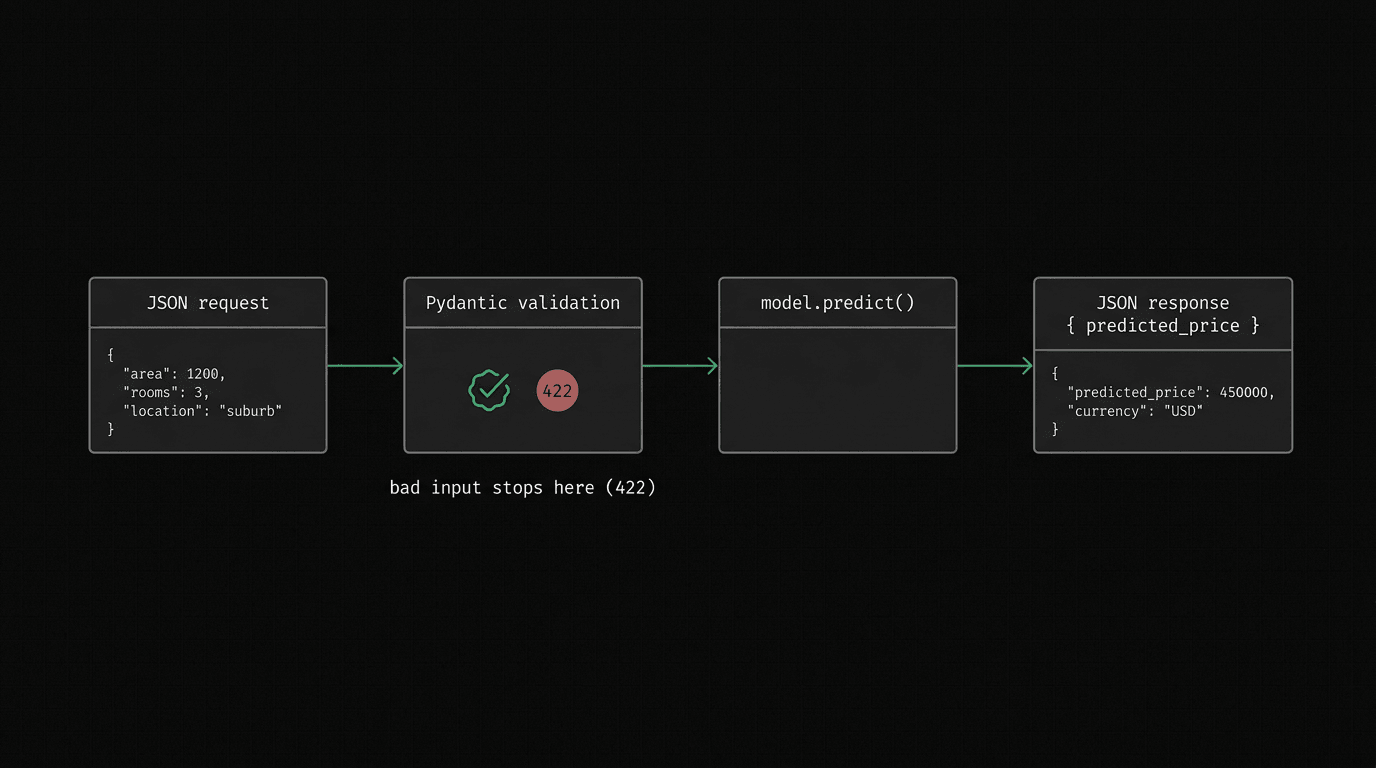
People underestimate this failure mode: a model will happily predict on nonsense. Send it a latitude of 999 or a negative population and scikit-learn won't complain — it will return a confident but meaningless number. Now you have a bad prediction in production, and no error anywhere to tell you why. The fix: reject bad input before it ever reaches .predict().
Pydantic is how FastAPI does that. You describe the shape of a valid request once, as a class, and every incoming request body is automatically validated and converted against it. Think of it like a CHECK constraint on a database column, not just a NOT NULL: checking that a field exists is the easy half, and the range check is what catches the 999. The contract is enforced at the boundary, not left to memory inside the handler.
# app/schemas.py
from pydantic import BaseModel, ConfigDict, Field


class HouseFeatures(BaseModel):
    MedInc: float = Field(..., gt=0, examples=[8.3252])
    HouseAge: float = Field(..., ge=0, le=100, examples=[41.0])
    AveRooms: float = Field(..., gt=0, examples=[6.9841])
    AveBedrms: float = Field(..., gt=0, examples=[1.0238])
    Population: float = Field(..., gt=0, examples=[322.0])
    AveOccup: float = Field(..., gt=0, examples=[2.5556])
    # Per-feature bounds. Latitude is positive; Longitude is NEGATIVE in
    # California — a blanket gt=0 here would reject every real request.
    Latitude: float = Field(..., ge=32, le=42, examples=[37.88])
    Longitude: float = Field(..., ge=-125, le=-113, examples=[-122.23])


class PredictionResponse(BaseModel):
    # Pydantic v2 reserves the "model_" prefix; opt out so model_version is allowed.
    model_config = ConfigDict(protected_namespaces=())

    predicted_price: float
    model_version: str
Those bounds are set per feature, not as one blanket rule, and that difference matters. MedInc must be positive, so gt=0. Latitude sits between 32 and 42. But Longitude in California is negative (roughly -125 to -113), so requiring a positive value there would reject every real request with a 422 — the classic copy-paste bug. Send a latitude of 999 and FastAPI rejects it with a 422 before your model runs, and the error tells the caller exactly what was wrong:
{
  "detail": [
    {
      "type": "less_than_equal",
      "loc": ["body", "Latitude"],
      "msg": "Input should be less than or equal to 90",
      "input": 999,
      "ctx": { "le": 90.0 }
    }
  ]
}
One small gotcha worth flagging, because it bites everyone once: our response field is called model_version, and Pydantic v2 reserves the model_ prefix for its own internals. Without that model_config = ConfigDict(protected_namespaces=()) line you get a warning at import time. Now you know why it's there.
Load the model once, not per request
Our artifact is a 47MB RandomForest. On my laptop, a single prediction takes about 3ms, but loading the file from disk takes ~40ms even when cached, and closer to a second on a cold start. If you load the model inside the request handler, every call pays that cost. The actual prediction, the cheapest part of the system, becomes the thing you wait on. I've shipped that exact bug: a service that loaded its model on every request. It looked perfect in the demo, then p99 latency exploded under real traffic while I blamed the network instead of my own code. So we load the model once, at startup, and keep it in memory. You already do this with database connection pools: you don't reconnect on every request, and you shouldn't reload a 47MB model on every request either.
One caveat worth stating clearly: "once" means once per worker process. Run four uvicorn workers and you get four separate copies of the 47MB model in RAM, so a pod's memory use is roughly the number of workers times the model size. We'll match worker count to pod memory limits in part seven. For now, just know the model isn't shared between workers.
# app/model.py
import json
from pathlib import Path
import joblib

MODEL_DIR = Path(__file__).resolve().parent.parent / "model"


class ModelService:
    def __init__(self) -> None:
        self.model = joblib.load(MODEL_DIR / "model.joblib")
        self.metadata = json.loads((MODEL_DIR / "metadata.json").read_text())
        self.features = self.metadata["features"]

    def _row(self, feat: dict) -> list[float]:
        # Re-order named fields into the exact order the model trained on.
        return [feat[name] for name in self.features]

    def predict_one(self, feat: dict) -> float:
        price = self.model.predict([self._row(feat)])[0]
        return float(price) * 100_000  # target is in units of $100,000
Notice the _row helper. The row we hand to the model must be in the exact feature order it was trained on, but an HTTP client can send JSON keys in any order it likes. If you trust whatever order arrives, you'll eventually ship a model that swaps latitude and longitude and confidently prices desert land as ocean-front property. So we re-order by name, every time, using the feature list we stored in metadata.json back in part one. That little file is already proving useful. (And because a fitted RandomForest is read-only at prediction time, one shared model is safe to call from every thread in the pool.)
FastAPI's lifespan hook is where "load once" happens. It runs the loader when the app boots and stores the ready ModelService on app.state, where a small dependency passes it to every request. You could use a module-level global instead — it works — but app.state plus a Depends provider is the standard FastAPI way, and it makes swapping in a fake model for tests easy.
# app/main.py
from contextlib import asynccontextmanager
from fastapi import Depends, FastAPI, Request, Response, status

from .model import ModelService
from .schemas import HouseFeatures, PredictionResponse


@asynccontextmanager
async def lifespan(app: FastAPI):
    app.state.service = ModelService()   # loaded once per worker, at startup
    yield

app = FastAPI(title="House Price Inference API", version="1.0.0", lifespan=lifespan)


def get_service(request: Request) -> ModelService:
    return request.app.state.service


@app.get("/health")
def health(response: Response, request: Request) -> dict:
    service = getattr(request.app.state, "service", None)
    if service is None:                       # still loading -> not ready for traffic
        response.status_code = status.HTTP_503_SERVICE_UNAVAILABLE
        return {"status": "loading"}
    return {
        "status": "ok",
        "model_name": service.metadata["model_name"],
        "model_version": service.metadata["model_version"],
    }


# Plain "def", NOT "async def": model.predict() is blocking CPU work, so FastAPI
# runs this in a threadpool and the event loop stays free. An async def here
# would serialize every concurrent request behind one prediction.
@app.post("/predict", response_model=PredictionResponse)
def predict(
    features: HouseFeatures,
    service: ModelService = Depends(get_service),
) -> PredictionResponse:
    price = service.predict_one(features.model_dump())
    return PredictionResponse(
        predicted_price=round(price, 2),
        model_version=service.metadata["model_version"],
    )
The comment on that handler is the most important line in the file. Our handlers are plain def, not async def — on purpose. model.predict() is blocking, CPU-bound work. FastAPI runs sync handlers in a threadpool, so one slow prediction never freezes the event loop for everyone else. Put a blocking .predict() inside an async def, and every concurrent request quietly waits in line behind it — the fastest way to make a "fast" framework slow. (If you really need an async handler, wrap the call: await run_in_threadpool(service.predict_one, ...).)
Run it and hit it
Two commands and you have a live inference API:
pip install "fastapi[standard]" joblib scikit-learn   # fastapi[standard] brings uvicorn along
uvicorn app.main:app --reload                          # dev server: single process + file watcher
Now send it the same California block group we predicted by hand in part one:
curl -X POST localhost:8000/predict \
  -H "Content-Type: application/json" \
  -d '{"MedInc":8.3252,"HouseAge":41.0,"AveRooms":6.9841,"AveBedrms":1.0238,
"Population":322.0,"AveOccup":2.5556,"Latitude":37.88,"Longitude":-122.23}'{"predicted_price": 425116.7, "model_version": "1.0.0"}That's the same $425,117 we got from the script in part one. The model didn't change; we just gave it a front door. And now anything that speaks HTTP can ask for a prediction, the input is validated, and the answer carries the model version, so a caller always knows which model produced it. That version stamp looks trivial now. But in part five, when several versions exist at once, it's how a caller knows which one answered — instead of digging through logs to trace a bad prediction.
Real-time vs batch: two endpoints, two jobs
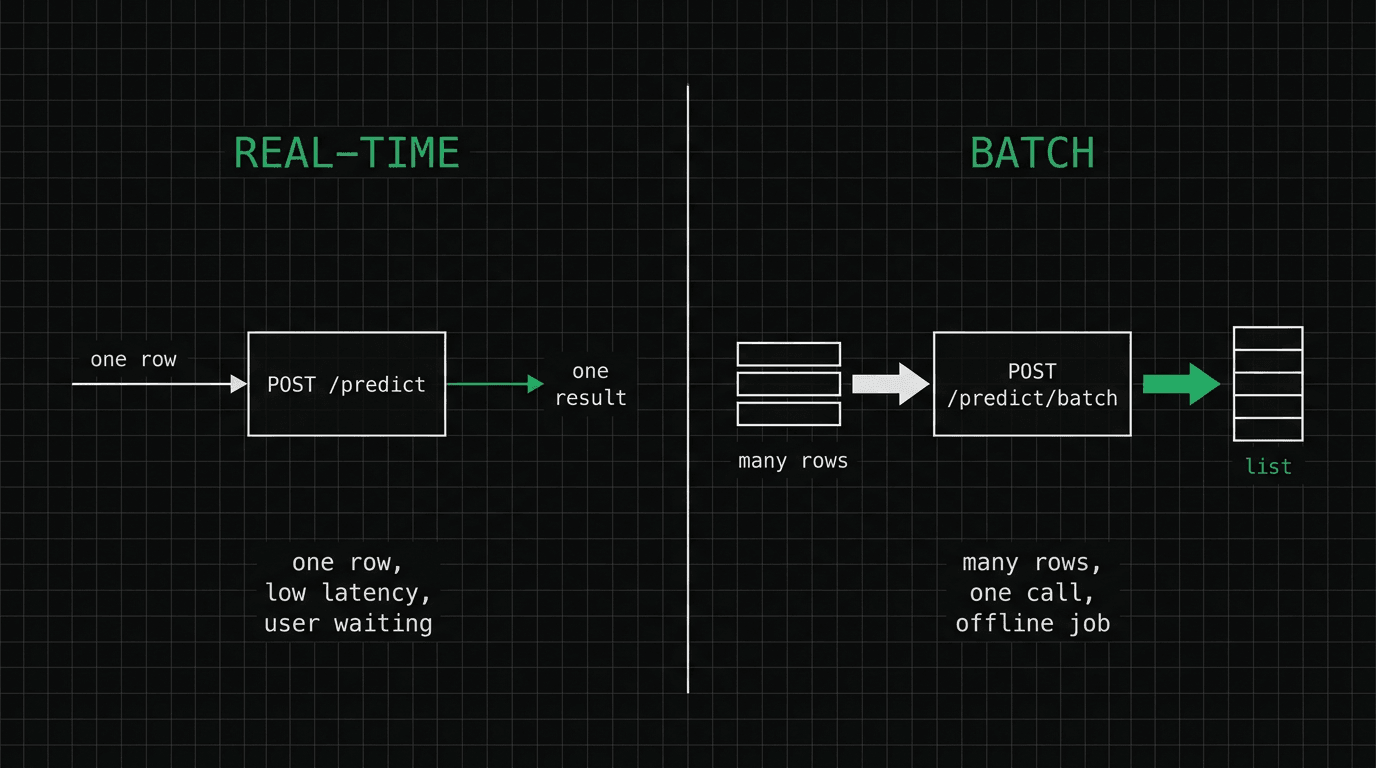
The /predict endpoint above is real-time inference: one row, one answer, with a user or service waiting on the other end, so latency is everything. But a lot of ML work isn't like that. Sometimes a million rows sit in a table overnight, and you want a prediction for each one. Sending a million separate HTTP requests to a one-row endpoint would be the classic N+1 mistake: a million round-trips for work that fits in one call.
So we add a second endpoint. Same model, same validation, but it takes a list and runs a single model.predict() over the whole batch, which is dramatically cheaper than looping one row at a time.
# app/schemas.py (add)
class BatchRequest(BaseModel):
    items: list[HouseFeatures] = Field(..., min_length=1, max_length=500)


class BatchResponse(BaseModel):
    model_config = ConfigDict(protected_namespaces=())
    predictions: list[float]
    model_version: str
    count: int


# app/main.py (add) — predict_many runs ONE model.predict() over the whole list
@app.post("/predict/batch", response_model=BatchResponse)
def predict_batch(req: BatchRequest) -> BatchResponse:
    prices = service.predict_many([item.model_dump() for item in req.items])
    return BatchResponse(
        predictions=[round(p, 2) for p in prices],
        model_version=service.metadata["model_version"],
        count=len(prices),
)// POST /predict/batch ->
{"predictions": [425116.7, 186489.32], "model_version": "1.0.0", "count": 2}Note the max_length=500 on the batch. A list without a limit is a memory bomb — it only takes one caller posting 10 million rows. Cap it, and send truly huge jobs to an offline pipeline instead of the request path. Real-time serves users; batch serves tables. Same model, different door.
Docs you didn't have to write
If you're the only person who knows how to call your service, every other team depends on you, and quietly resents it. Open http://localhost:8000/docs and that problem is gone: a full Swagger UI — every endpoint, every field, the validation rules, and a "Try it out" button — all generated from the Pydantic models you already wrote. The matching /openapi.json is a machine-readable contract that other teams can feed into a client generator. For a serving API, this isn't a nice-to-have. It's how the frontend team and the next engineer get started without asking you anything.
The health check earns its keep later
That tiny /health endpoint looks pointless right now. It's not. It's really a readiness check: while the lifespan hook is loading, the process is already up but the model isn't in memory yet, so our endpoint returns 503 until it is. You don't want Kubernetes sending traffic to a pod that would fail on every prediction. Once ready, the same endpoint reports the model name and version, so a single curl tells you not just "is it up" but "which model is serving." In part seven, the Kubernetes readiness probe calls exactly this endpoint. Build the boring endpoint now, so the orchestrator has something to talk to later.
What's next
We've turned a script into a real service: validated input, versioned output, real-time and batch endpoints, free docs, and a readiness check. It runs great on your machine, and that's exactly the problem part three exists to solve. Next, we write the Dockerfile, keep the image small with a multi-stage build (the same builder-vs-final split we used to explain training vs inference), and get a container that runs the same everywhere. The full code is in the series repo. See you in part three.
$ ./work-with-me.sh
Want this in your job, not just your notes?
I take engineers from wherever they are to hired-in-6-months — real projects, code reviews, and mock interviews. Or if you just need a hand shipping something to production, let's work together.
or subscribe on YouTube — free, forever.
$ subscribe --new-articles
Get new articles in your inbox
One email when a new hands-on guide goes live — Kubernetes, AWS, CI/CD, MLOps. No spam, unsubscribe anytime.