The DevOps Roadmap for 2026: Zero to Job-Ready
The exact order to learn DevOps in 2026 — Linux, Git, Docker, CI/CD, cloud, Terraform, Kubernetes, and monitoring — and the mistakes that keep beginners stuck.
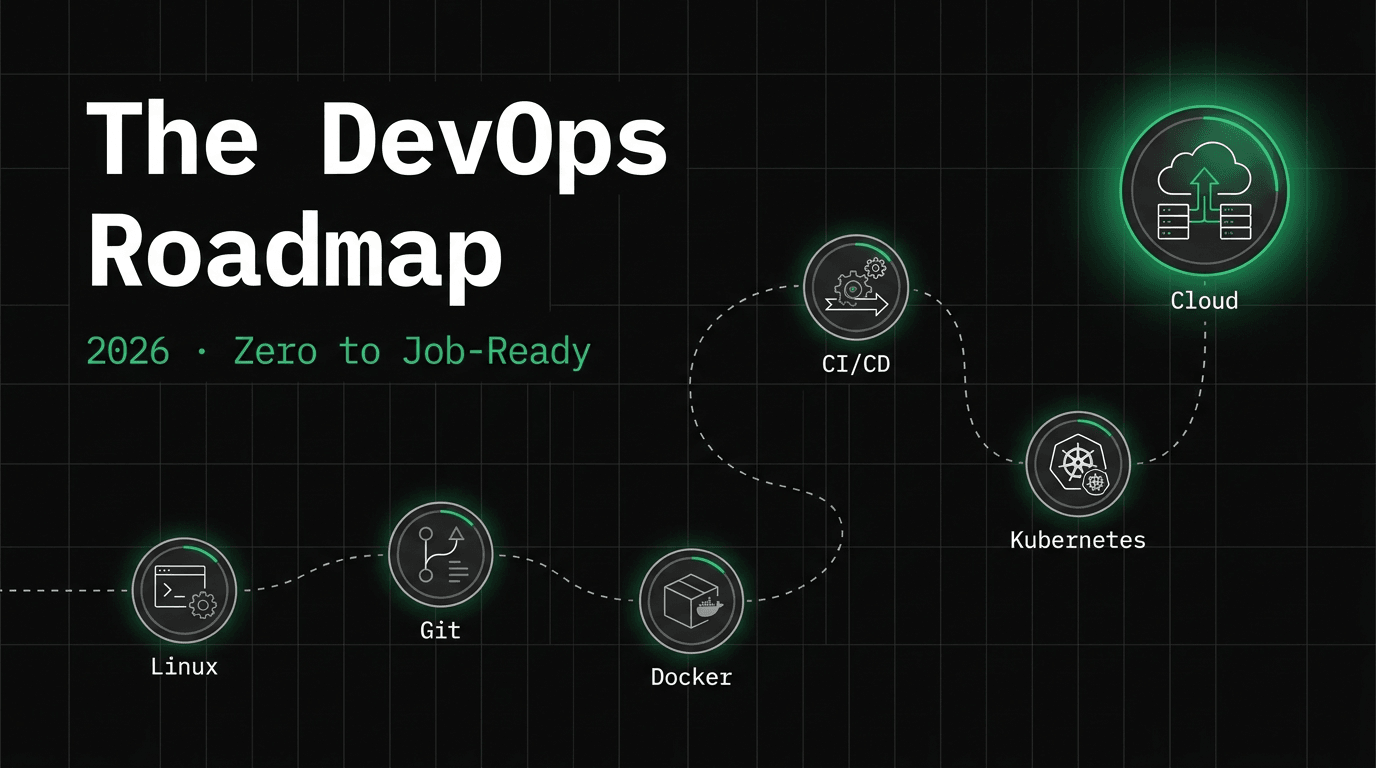
Every week someone asks me the same question: “I want to get into DevOps — where do I start?” The honest answer is that most people don't fail because DevOps is too hard. They fail because they learn things in the wrong order, jump to Kubernetes before they can read a log file, and quit when nothing makes sense.
This is the roadmap I wish someone had handed me: what to learn, in what order, and — just as important — what to skip for now. It's the same path my upcoming video series follows, so you can build along with me step by step.
Step 1: Linux and the terminal (2–3 weeks)
Everything in DevOps runs on Linux — your containers, your CI runners, your production servers. If the terminal feels foreign, every tool you touch later will feel harder than it is. You don't need to be a sysadmin; you need to be comfortable.
- →Navigate and manage files: cd, ls, cp, mv, find, permissions with chmod and chown
- →Read and follow logs: cat, less, tail -f, grep, journalctl
- →Manage processes and services: ps, top, kill, systemctl
- →Edit files on a server without panic: vim or nano — pick one and stick with it
- →SSH into a machine, copy files with scp, and understand what ~/.ssh/config does
Step 2: Networking fundamentals (1–2 weeks)
You don't need a networking certification, but when a service can't reach a database, you need a mental model of what's happening. Learn what an IP address, port, DNS record, and firewall rule actually are. Learn what happens when you type a URL and hit enter. Then learn to debug it:
# The four commands that solve 80% of connectivity mysteries
curl -v https://api.example.com/health
dig api.example.com
ss -tlnp          # what's listening, on which port?
traceroute 10.0.2.15
Step 3: Git — beyond add and commit (1 week)
In DevOps, Git isn't just version control — it's the trigger for every pipeline and, with GitOps, the source of truth for your entire infrastructure. Get comfortable with branching, merging, resolving conflicts, and reading a diff. If you can confidently rebase a branch and revert a bad commit, you're ready.
Step 4: Docker and containers (3–4 weeks)
This is the first big milestone. Containers are the unit of deployment in modern infrastructure, and every tool that comes later — CI/CD, Kubernetes, most cloud services — assumes you understand them. Don't just run other people's images; containerize your own application, even a tiny one.
# A multi-stage build — half the image size, none of the build tools shipped
FROM node:24-alpine AS build
WORKDIR /app
COPY package*.json ./
RUN npm ci
COPY . .
RUN npm run build

FROM node:24-alpine
WORKDIR /app
COPY --from=build /app/dist ./dist
COPY --from=build /app/node_modules ./node_modules
USER node
CMD ["node", "dist/server.js"]
Step 5: CI/CD — your first pipeline (2–3 weeks)
Now connect the pieces: code goes in, a tested container image comes out, and a server runs it — with no manual steps. GitHub Actions is the easiest place to start because it lives next to your code and the free tier is generous. Build a pipeline that runs tests, builds an image, pushes it to a registry, and deploys. It will feel like magic the first time it works. It will feel like a job skill the tenth time.
Step 6: One cloud, properly (4–6 weeks)
Pick one cloud — AWS is the safest bet for job listings — and go deep instead of wide. You want to genuinely understand compute (EC2, ECS), networking (VPCs, subnets, security groups), storage (S3), IAM permissions, and managed databases (RDS). Every cloud skill transfers; provider number two is 10x easier than provider number one.
Step 7: Terraform — infrastructure as code (3–4 weeks)
Once you've clicked around the AWS console enough to understand the pieces, stop clicking. Real teams define infrastructure in code so it's reviewable, repeatable, and recoverable. Terraform is the industry standard. Rebuild what you made in step 6 — this time as code you could destroy and recreate in one command.
Step 8: Kubernetes — now you're ready (6–8 weeks)
Notice how late Kubernetes appears. That's deliberate. K8s assumes you already understand containers, networking, Linux, and cloud infrastructure — it composes all of them. Learned in order, Kubernetes is a challenging but logical step. Learned first, it's an incomprehensible wall of YAML. Start with deployments, services, and ingress. Then Helm, autoscaling, and secrets. Then break your cluster on purpose and fix it.
Step 9: Monitoring and observability (2–3 weeks)
Anyone can deploy something. Professionals know when it's broken before users do. Prometheus for metrics, Grafana for dashboards, and alerts that page you for the right reasons. This is also what separates a portfolio project from a production story you can tell in an interview.
The mistakes that keep people stuck
- →Starting with Kubernetes because it's the buzzword — it's step 8, not step 1
- →Watching tutorials without building — you learn DevOps with your hands, not your eyes
- →Learning three clouds shallowly instead of one deeply
- →Skipping Linux and networking, then blaming the tools when debugging feels impossible
- →Waiting to feel “ready” — deploy something small this week; ready comes from shipping
Build it with me
This roadmap is exactly what my channel is built around: hands-on projects for every stage — from your first Dockerfile to a production-grade EKS cluster with GitOps and full observability. Subscribe to DevOps by Muh on YouTube and be there from video #1. Total time if you're consistent: six to nine months to genuinely job-ready. Slower than a bootcamp ad, faster than staying stuck.
$ ./work-with-me.sh
Want this in your job, not just your notes?
I take engineers from wherever they are to hired-in-6-months — real projects, code reviews, and mock interviews. Or if you just need a hand shipping something to production, let's work together.
or subscribe on YouTube — free, forever.
$ subscribe --new-articles
Get new articles in your inbox
One email when a new hands-on guide goes live — Kubernetes, AWS, CI/CD, MLOps. No spam, unsubscribe anytime.